
Performance website package
From a service page to the next job.

Give each service its own page. Collect the job details, put someone in charge of follow-up and see which calls and requests become paid work.
Client example · Performance
Try Dip Electric’s estimate request.
Pick the electrical work, add project details and choose a callback window. Then see where the office reviews incoming requests.

From an EV charger question to a callback.
Dip’s EV charger page explains what the electrician checks before installation. A customer can request an estimate, describe the work and tell the office when to call. The full project includes eight service pages.
See the Dip Electric projectEstimate preview complete
Ready for a callback.
On Dip’s site, the office receives the project details and callback preference. You can now open a separate example in the office CRM.
Open the office walkthroughHow Dip Electric takes an estimate request
The customer selects one of seven kinds of electrical work, enters a project ZIP code and can add a description and up to three photos. They can pick a preferred callback day and time or skip ahead to contact details. The office reviews the request in Dip’s CRM and calls to discuss the work.
Inside Dip Electric’s office
What happens after the request?
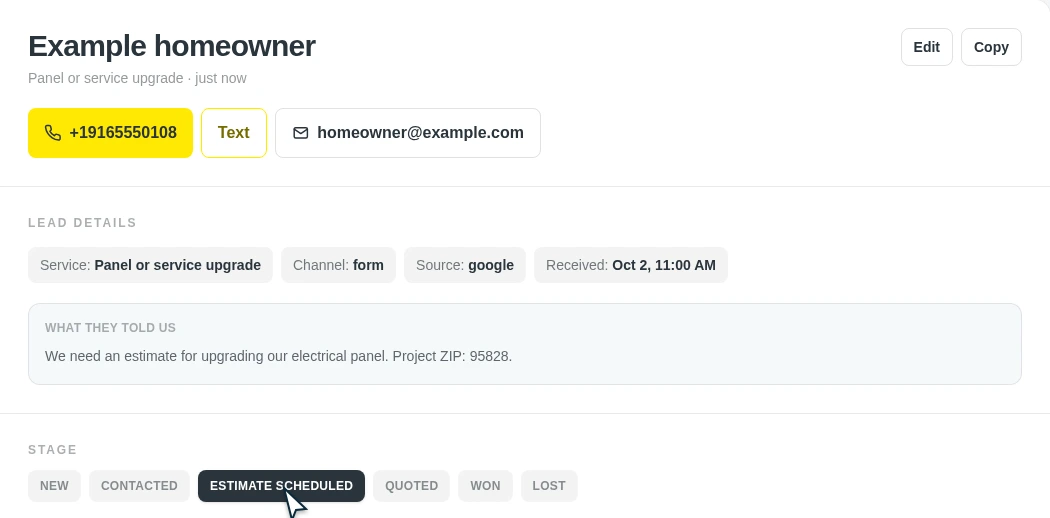
Open the homeowner’s inquiry to see what needs work. Once the office arranges a visit, choose Estimate scheduled. The team can then find the request under Working.
View the original CRM screenAll leads
No leads in this group.
Example homeowner
(916) 555-0108 · homeowner@example.com
Lead details